




Blog Details

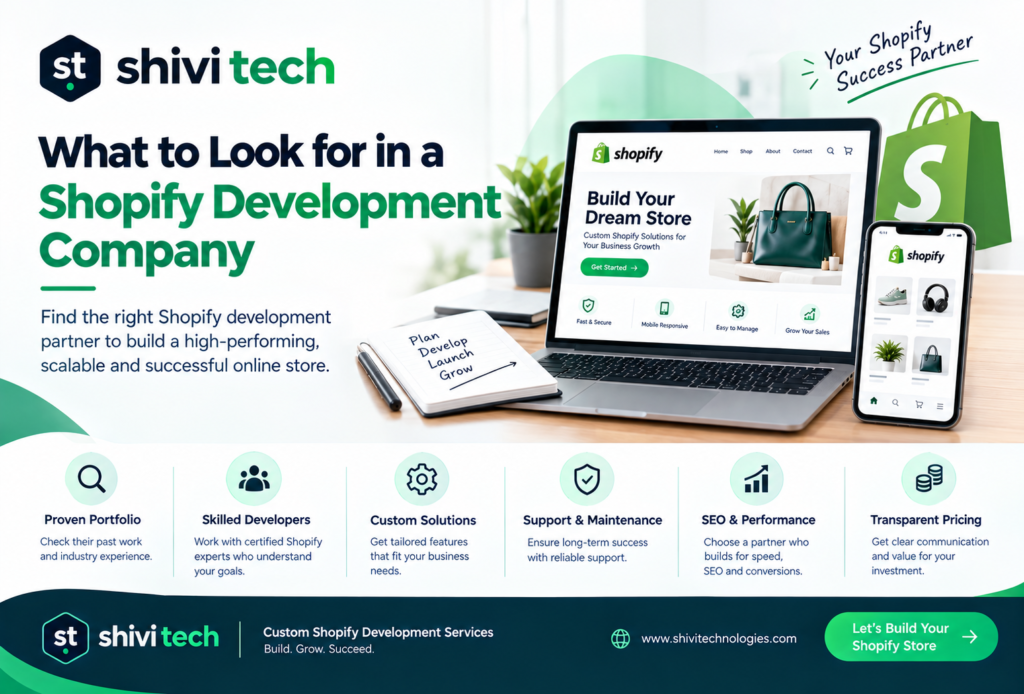
What to Look for in a Shopify Development Company

Shopify Development Company

You’ve decided Shopify is the right platform, and you’ve decided to bring in outside help. You now have three or four names on a shortlist, and they all have polished websites, strong testimonials and similar-looking portfolios. This is where most merchants get stuck, because the differences between Shopify vendors rarely show up in their marketing.

This guide is a vetting checklist. It won’t try to settle what kind of provider you should hire (if you’re still weighing that, we’ve covered the difference between a Shopify agency and a Shopify company separately). Instead, it gives you the specific questions, portfolio checks and red flags that separate a capable Shopify development company from one that will cost you time and revenue after launch.

What Does a Shopify Development Company Actually Do?

A Shopify development company designs, builds, customizes and maintains Shopify stores. Typical scope includes:

  • Theme development: building or customizing Shopify 2.0 themes using Liquid, sections and blocks
  • App development and integration: building custom apps (often embedded in the admin with App Bridge) and connecting ERPs, CRMs, 3PLs and marketing tools
  • Migrations: moving products, customers, orders and URLs from platforms like WooCommerce, Magento or BigCommerce
  • Shopify Plus builds: checkout extensibility, Shopify Functions, B2B, multi-store and internationalization setups
  • Ongoing support: performance tuning, app audits, feature releases and platform-change updates

A good partner should be able to tell you clearly which of these they do in-house and which they subcontract.

Questions to Ask Before Hiring a Shopify Development Company

Keep these to the point in your discovery calls. Vague answers are useful information too.

Questions about their build process

  1. Do you build on a Shopify 2.0 theme with sections everywhere, or on a legacy theme?
  2. Will my team be able to edit page layouts in the theme editor without calling you?
  3. Do you use version control (for example, GitHub with Shopify’s theme integration) for theme code?
  4. How do you handle staging, and will changes be tested on a duplicate theme before going live?
  5. Who owns the code, the custom apps and the design files when the project ends?
  6. Who exactly will work on my project, and are any of them contractors?
  7. How will you document custom features so another developer could maintain them?

Questions about performance and app discipline

  1. How do you decide between installing an app and building a feature in the theme?
  2. Will you run an app audit on my current store and remove what’s unused?
  3. How do you clean up leftover code when an app is uninstalled?
  4. What Core Web Vitals targets do you commit to on mobile?
  5. How do you handle images, fonts and third-party scripts to protect load time?
  6. Are your custom apps built on Shopify’s current APIs and extension points, or on script tags?

Questions about SEO and migrations

  1. How will you map and redirect every old URL to its new Shopify URL?
  2. How do you handle Shopify’s fixed URL structure (/products/, /collections/, /pages/)?
  3. Will you preserve meta titles, descriptions, alt text and structured data during migration?
  4. How do you migrate customer accounts and order history, and what can’t be migrated?
  5. What checks do you run in Google Search Console after launch, and for how long?
  6. Have you migrated a store of similar catalogue size and traffic, and can I speak to that client?

How to Review a Shopify Development Company’s Portfolio

Screenshots prove very little. A portfolio review should be hands-on:

  1. Visit the live stores, not the case study pages. Check whether they’re still on Shopify and still look like the case study. A redesign six months after launch can be telling.
  2. Run each store through PageSpeed Insights on mobile. You’re not looking for perfect scores, but consistently poor results across a portfolio point to a pattern.
  3. Check the theme. Browser extensions or the page source will usually show which theme a store runs on. If every “custom” build is the same lightly modified theme, adjust your expectations and your budget.
  4. Look at the product and collection pages, not just the homepage. These are the templates that make money and the hardest to get right.
  5. Test the cart and checkout flow. Add items, apply a discount, check shipping options. Friction here reflects on the builder.
  6. Ask for one project that went wrong. An experienced company will have one and will explain what they changed afterward.
  7. Match the portfolio to your problem. A beautiful fashion boutique tells you little about their ability to handle a 20,000-SKU B2B catalogue with ERP sync.

Red Flags When Vetting a Shopify Partner

Treat any of these as a reason to dig deeper or walk away:

  1. They quote a fixed price before understanding your catalogue, integrations or data.
  2. They can’t explain the difference between a Shopify 2.0 theme and a legacy theme.
  3. Their answer to most feature requests is “there’s an app for that.”
  4. They want the store registered under their Shopify Partner account instead of yours.
  5. They won’t give you collaborator access terms or code ownership in writing.
  6. They have no redirect or SEO plan for a migration.
  7. Their portfolio stores fail basic mobile speed tests across the board.
  8. They mention checkout.liquid or Shopify Scripts as part of a new Plus build.
  9. They can’t name who will actually do the work.
  10. There’s no post-launch support period in the proposal.
  11. They guarantee specific revenue or ranking outcomes.

Point 8 deserves a note. Shopify has moved checkout customization to checkout extensibility, and Shopify Scripts stop working after June 30, 2026. A partner still proposing either for new work isn’t keeping up with the platform. 

Shopify Plus Development Companies: What’s Different

Shopify Plus unlocks capabilities that standard plans don’t have, and those capabilities need specific experience. When you’re evaluating a Plus partner, check for:

  • Checkout extensibility experience. It splits checkout customization into structured tools: Checkout UI extensions, Shopify Functions, the branding API, and web pixels. Ask to see a checkout they’ve customized this way. 
  • Shopify Functions. Discounts, shipping and payment logic that used to live in Scripts now runs through Functions. Ask how they’ve rebuilt Script-based logic for past clients.
  • B2B and wholesale. Company accounts, price lists, payment terms and quantity rules are Plus features that need careful configuration.
  • Multi-store and international setups. Markets, expansion stores, currency and language handling, and how they keep content in sync.
  • Automation. Experience with Shopify Flow and Launchpad for sales events and operational workflows.
  • Integration depth. Plus merchants usually run an ERP, PIM or OMS. Ask about API rate limits, sync frequency and how they handle failures.

Being a “Shopify Plus Partner” in marketing copy isn’t enough. Ask for Plus-specific case studies and a reference you can call.


FAQs

How do I know if a Shopify developer is experienced with Shopify Plus?

Ask them to walk you through a checkout extensibility project and a Shopify Functions implementation they’ve shipped. Experienced Plus developers can explain extension targets, what can and can’t be customized in checkout, and how they migrated legacy Scripts. Then ask for a Plus client reference.

Should I hire a freelancer or a Shopify development company?

A freelancer can work well for small theme changes, bug fixes or a single well-defined feature. A company is usually the safer choice for full builds, migrations, Plus projects or anything needing design, development and QA together, because you’re not dependent on one person’s availability.

What should a good Shopify proposal include?

A clear scope broken into phases, the theme approach, a list of apps and integrations, a migration and redirect plan if relevant, a timeline with milestones, who’s on the team, code and account ownership terms, testing and QA steps, and a defined post-launch support period.

How long should a Shopify build take?

A customized theme build for a small to mid-size store typically takes 4 to 8 weeks. A fully custom design with integrations usually runs 8 to 14 weeks, and complex Shopify Plus builds or large migrations can take 3 to 6 months. Be wary of timelines that seem much shorter than this for the scope described.


Conclusion: Vet the Process, Not the Pitch

The right Shopify development company will answer these questions specifically, show you live work that holds up to inspection, and put ownership and support terms in writing. If a vendor gets defensive when you ask about code ownership, app discipline or redirect plans, you’ve learned what you need to know.

And if you’re still not certain Shopify is the right fit at all, it’s worth reading how custom ecommerce compares to Shopify before you commit to a vendor.

Want a second opinion on your Shopify project? 

If you’re comparing proposals or scoping a build, we’re happy to walk through your requirements in a short call and help you work out what to ask for. No pitch, just a clear view of what your project needs. Learn more about our Shopify development services.

Get In Touch

    Shopify Development Company

    You’ve decided Shopify is the right platform, and you’ve decided to bring in outside help. You now have three or four names on a shortlist, and they all have polished websites, strong testimonials and similar-looking portfolios. This is where most merchants get stuck, because the differences between Shopify vendors rarely show up in their marketing.

    This guide is a vetting checklist. It won’t try to settle what kind of provider you should hire (if you’re still weighing that, we’ve covered the difference between a Shopify agency and a Shopify company separately). Instead, it gives you the specific questions, portfolio checks and red flags that separate a capable Shopify development company from one that will cost you time and revenue after launch.

    What Does a Shopify Development Company Actually Do?

    A Shopify development company designs, builds, customizes and maintains Shopify stores. Typical scope includes:

    • Theme development: building or customizing Shopify 2.0 themes using Liquid, sections and blocks
    • App development and integration: building custom apps (often embedded in the admin with App Bridge) and connecting ERPs, CRMs, 3PLs and marketing tools
    • Migrations: moving products, customers, orders and URLs from platforms like WooCommerce, Magento or BigCommerce
    • Shopify Plus builds: checkout extensibility, Shopify Functions, B2B, multi-store and internationalization setups
    • Ongoing support: performance tuning, app audits, feature releases and platform-change updates

    A good partner should be able to tell you clearly which of these they do in-house and which they subcontract.

    Questions to Ask Before Hiring a Shopify Development Company

    Keep these to the point in your discovery calls. Vague answers are useful information too.

    Questions about their build process

    1. Do you build on a Shopify 2.0 theme with sections everywhere, or on a legacy theme?
    2. Will my team be able to edit page layouts in the theme editor without calling you?
    3. Do you use version control (for example, GitHub with Shopify’s theme integration) for theme code?
    4. How do you handle staging, and will changes be tested on a duplicate theme before going live?
    5. Who owns the code, the custom apps and the design files when the project ends?
    6. Who exactly will work on my project, and are any of them contractors?
    7. How will you document custom features so another developer could maintain them?

    Questions about performance and app discipline

    1. How do you decide between installing an app and building a feature in the theme?
    2. Will you run an app audit on my current store and remove what’s unused?
    3. How do you clean up leftover code when an app is uninstalled?
    4. What Core Web Vitals targets do you commit to on mobile?
    5. How do you handle images, fonts and third-party scripts to protect load time?
    6. Are your custom apps built on Shopify’s current APIs and extension points, or on script tags?

    Questions about SEO and migrations

    1. How will you map and redirect every old URL to its new Shopify URL?
    2. How do you handle Shopify’s fixed URL structure (/products/, /collections/, /pages/)?
    3. Will you preserve meta titles, descriptions, alt text and structured data during migration?
    4. How do you migrate customer accounts and order history, and what can’t be migrated?
    5. What checks do you run in Google Search Console after launch, and for how long?
    6. Have you migrated a store of similar catalogue size and traffic, and can I speak to that client?

    How to Review a Shopify Development Company’s Portfolio

    Screenshots prove very little. A portfolio review should be hands-on:

    1. Visit the live stores, not the case study pages. Check whether they’re still on Shopify and still look like the case study. A redesign six months after launch can be telling.
    2. Run each store through PageSpeed Insights on mobile. You’re not looking for perfect scores, but consistently poor results across a portfolio point to a pattern.
    3. Check the theme. Browser extensions or the page source will usually show which theme a store runs on. If every “custom” build is the same lightly modified theme, adjust your expectations and your budget.
    4. Look at the product and collection pages, not just the homepage. These are the templates that make money and the hardest to get right.
    5. Test the cart and checkout flow. Add items, apply a discount, check shipping options. Friction here reflects on the builder.
    6. Ask for one project that went wrong. An experienced company will have one and will explain what they changed afterward.
    7. Match the portfolio to your problem. A beautiful fashion boutique tells you little about their ability to handle a 20,000-SKU B2B catalogue with ERP sync.

    Red Flags When Vetting a Shopify Partner

    Treat any of these as a reason to dig deeper or walk away:

    1. They quote a fixed price before understanding your catalogue, integrations or data.
    2. They can’t explain the difference between a Shopify 2.0 theme and a legacy theme.
    3. Their answer to most feature requests is “there’s an app for that.”
    4. They want the store registered under their Shopify Partner account instead of yours.
    5. They won’t give you collaborator access terms or code ownership in writing.
    6. They have no redirect or SEO plan for a migration.
    7. Their portfolio stores fail basic mobile speed tests across the board.
    8. They mention checkout.liquid or Shopify Scripts as part of a new Plus build.
    9. They can’t name who will actually do the work.
    10. There’s no post-launch support period in the proposal.
    11. They guarantee specific revenue or ranking outcomes.

    Point 8 deserves a note. Shopify has moved checkout customization to checkout extensibility, and Shopify Scripts stop working after June 30, 2026. A partner still proposing either for new work isn’t keeping up with the platform. 

    Shopify Plus Development Companies: What’s Different

    Shopify Plus unlocks capabilities that standard plans don’t have, and those capabilities need specific experience. When you’re evaluating a Plus partner, check for:

    • Checkout extensibility experience. It splits checkout customization into structured tools: Checkout UI extensions, Shopify Functions, the branding API, and web pixels. Ask to see a checkout they’ve customized this way. 
    • Shopify Functions. Discounts, shipping and payment logic that used to live in Scripts now runs through Functions. Ask how they’ve rebuilt Script-based logic for past clients.
    • B2B and wholesale. Company accounts, price lists, payment terms and quantity rules are Plus features that need careful configuration.
    • Multi-store and international setups. Markets, expansion stores, currency and language handling, and how they keep content in sync.
    • Automation. Experience with Shopify Flow and Launchpad for sales events and operational workflows.
    • Integration depth. Plus merchants usually run an ERP, PIM or OMS. Ask about API rate limits, sync frequency and how they handle failures.

    Being a “Shopify Plus Partner” in marketing copy isn’t enough. Ask for Plus-specific case studies and a reference you can call.


    FAQs

    How do I know if a Shopify developer is experienced with Shopify Plus?

    Ask them to walk you through a checkout extensibility project and a Shopify Functions implementation they’ve shipped. Experienced Plus developers can explain extension targets, what can and can’t be customized in checkout, and how they migrated legacy Scripts. Then ask for a Plus client reference.

    Should I hire a freelancer or a Shopify development company?

    A freelancer can work well for small theme changes, bug fixes or a single well-defined feature. A company is usually the safer choice for full builds, migrations, Plus projects or anything needing design, development and QA together, because you’re not dependent on one person’s availability.

    What should a good Shopify proposal include?

    A clear scope broken into phases, the theme approach, a list of apps and integrations, a migration and redirect plan if relevant, a timeline with milestones, who’s on the team, code and account ownership terms, testing and QA steps, and a defined post-launch support period.

    How long should a Shopify build take?

    A customized theme build for a small to mid-size store typically takes 4 to 8 weeks. A fully custom design with integrations usually runs 8 to 14 weeks, and complex Shopify Plus builds or large migrations can take 3 to 6 months. Be wary of timelines that seem much shorter than this for the scope described.


    Conclusion: Vet the Process, Not the Pitch

    The right Shopify development company will answer these questions specifically, show you live work that holds up to inspection, and put ownership and support terms in writing. If a vendor gets defensive when you ask about code ownership, app discipline or redirect plans, you’ve learned what you need to know.

    And if you’re still not certain Shopify is the right fit at all, it’s worth reading how custom ecommerce compares to Shopify before you commit to a vendor.

    Want a second opinion on your Shopify project? 

    If you’re comparing proposals or scoping a build, we’re happy to walk through your requirements in a short call and help you work out what to ask for. No pitch, just a clear view of what your project needs. Learn more about our Shopify development services.

    Get In Touch