




Blog Details

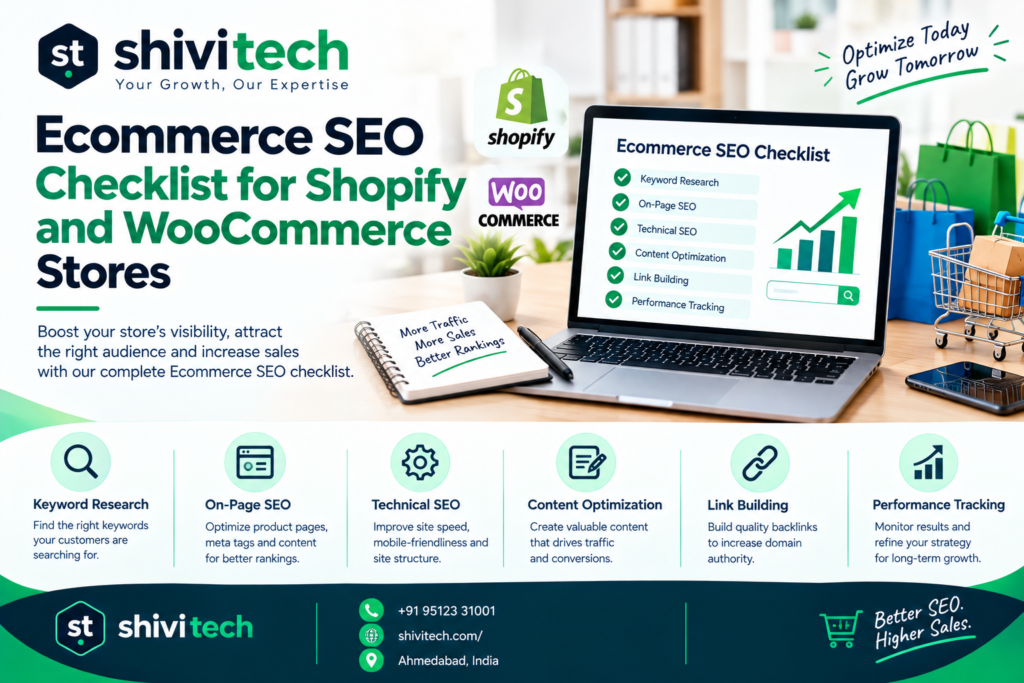
Ecommerce SEO Checklist for Shopify and WooCommerce Stores

Ecommerce SEO Checklist

An ecommerce SEO checklist is a structured list of the technical and on-page tasks that help an online store’s product and category pages get crawled, indexed and ranked in search. Unlike a general SEO checklist, it deals with problems that only appear at store scale: thousands of product URLs, filter-generated duplicate pages, product data that needs structured markup, and platform-specific limitations in Shopify and WooCommerce.

This guide is written for store owners and marketers who already have a live store and want a practical list to work through. Each section below can be treated as its own audit, so you can start with the area that’s causing the most problems.

What Makes Ecommerce SEO Different From Regular SEO?

Ecommerce SEO differs from regular SEO because an online store generates far more URLs than a typical website, many of which are near-duplicates, and because rankings depend heavily on structured product data rather than long-form content alone.

Three factors make the difference:

  • Faceted navigation: Filters for size, colour, price and brand can create thousands of URL combinations from a single collection. Left unmanaged, these compete with each other and dilute ranking signals.
  • Product data at scale: Prices, availability, variants, reviews and images need to be accurate and machine-readable, which is where schema.org Product markup and structured data come in.
  • Crawl budget: On large catalogues, search engines may spend their crawling effort on filter URLs, out-of-stock pages and parameters instead of your most important products and collections.

Regular SEO focuses on content quality and authority. Ecommerce SEO needs all of that, plus careful control over which pages exist, which ones get indexed, and how they connect.

Product Page SEO Checklist

Product pages are where purchase-intent searches land. Each one should be unique, fast, and clearly described to both shoppers and search engines.

Titles, Descriptions, and Unique Product Copy

  • [ ] Write a unique title tag for every product. Include the product name, a key attribute (material, size, model) and, where relevant, the brand. Keep it around 50–60 characters.
  • [ ] Write a unique meta description. Summarise the product’s main benefit and a differentiator such as price, delivery or material. It won’t directly affect rankings, but it influences clicks.
  • [ ] Replace manufacturer descriptions. Copy supplied by manufacturers usually appears on dozens of other stores. Rewrite it with your own details, use cases and answers to common buyer questions.
  • [ ] Use one H1 per product page that matches the product name.
  • [ ] Keep product URLs short and descriptive, for example /products/linen-shirt-white rather than an ID or long string of parameters.
  • [ ] Handle variants carefully. Colours and sizes of the same product usually belong on one page with variant options, not separate thin pagesunless a variant has its own significant search demand.
  • [ ] Decide how to handle out-of-stock products. Keep temporarily unavailable products live with clear availability messaging. For permanently discontinued products, redirect (301) to the closest replacement or parent collection.

Product Schema Markup

Product schema is structured data, based on the schema.org Product type, that tells search engines exactly what a page is sellingits name, price, availability, brand and reviews. It can make product pages eligible for rich results such as price, stock status and review stars in search.

  • [ ] Include the core Product properties: name, image, description, sku, brand and offers.
  • [ ] Include accurate Offer details: price, priceCurrency and availability must match what’s shown on the page.
  • [ ] Add aggregateRating and review only for genuine reviews displayed on the same page.
  • [ ] Consider shipping and returns properties (shippingDetails, hasMerchantReturnPolicy) where your platform or app supports them.
  • [ ] Avoid duplicate schema. Themes, SEO plugins and review apps often each output their own Product markup. Make sure only one clean, complete version appears.
  • [ ] Validate your markup with Google’s Rich Results Test and monitor the relevant enhancement reports in Google Search Console.

Image Optimization for Product Galleries

  • [ ] Compress images and serve modern formats such as WebP where your platform supports it.
  • [ ] Use descriptive file names (white-linen-shirt-front.jpg, not IMG_4821.jpg).
  • [ ] Write useful alt text that describes the image and product, without stuffing keywords.
  • [ ] Set image dimensions to prevent layout shift, which affects Core Web Vitals.
  • [ ] Lazy-load gallery images below the first view, but not the main product image, which is often the page’s Largest Contentful Paint element.
  • [ ] Show variant images so that shoppers can see each colour or style.

Collection and Category Page SEO Checklist

Collection (Shopify) and category (WooCommerce) pages often target the most valuable commercial keywords in a store, such as “men’s running shoes” or “handmade soy candles.” They need more attention than many stores give them.

Avoiding Thin or Duplicate Collection Pages

  • [ ] Add a short, useful introduction to each important collection explaining what’s included and who it’s for. Place longer buying guidance or FAQs lower on the page.
  • [ ] Write unique title tags and meta descriptions for every collection, targeting its main category keyword.
  • [ ] Merge overlapping collections. “Summer Dresses” and “Dresses for Summer” should be one page, not two competing ones.
  • [ ] Review collections with very few products. Either add products, merge them into a broader collection, or noindex them.
  • [ ] Handle pagination properly. Paginated pages should remain crawlable with normal links, and each page should usually self-canonicalise rather than all pointing to page one.
  • [ ] Watch for tag-based pages. Shopify tag URLs and WooCommerce tag archives can create large numbers of thin pages. Noindex them unless they’re deliberately built as landing pages.

Faceted Navigation and Crawl Efficiency

Faceted navigation lets shoppers filter products by attributes. Every filter combination can generate a new URL, and if search engines crawl and index all of them, you end up with duplicate content and wasted crawl budget.

  • [ ] Audit filter URLs. Check how many parameter URLs exist using a site crawler and Google Search Console’s Pages report.
  • [ ] Decide which facets deserve their own indexable page. A combination like “black leather boots” may have real search demand. Give those a clean, static URL, unique content and a place in your internal linking.
  • [ ] Canonicalise the rest to the main collection page, or apply noindex to low-value combinations.
  • [ ] Use robots.txt carefully. Blocking filter parameters in robots.txt saves crawl budget, but search engines can’t see a noindex or canonical tag on a URL they’re blocked from crawling. Choose one approach per URL pattern.
  • [ ] Don’t let sort parameters get indexed. URLs like ?sort_by=price-ascending add no unique value.
  • [ ] Keep filter links out of your XML sitemap. Only include canonical, indexable URLs.

Technical SEO for Shopify Stores

Shopify handles much of the technical groundwork automatically, but it has fixed structures that need to be managed rather than changed.

  • [ ] Understand Shopify’s fixed URL structure. Products live under /products/, collections under /collections/ and pages under /pages/. These prefixes can’t be removed, so focus on clean, descriptive handles.
  • [ ] Fix collection-aware product links. Many themes link to products using /collections/collection-name/products/product-name. Shopify canonicalises these to /products/product-name, but internal links should point directly to the canonical URL. This usually requires a theme code edit.
  • [ ] Review the auto-generated sitemap at /sitemap.xml and submit it in Google Search Console.
  • [ ] Customise robots.txt when needed using the robots.txt.liquid templatefor example, to control filter or search parameters. Change it cautiously.
  • [ ] Check your theme’s structured data. Many themes output basic Product markup, but it may be incomplete. Extend it in the theme or use one well-configured app, and avoid duplicate markup from several apps.
  • [ ] Keep “Create a URL redirect” enabled when changing a product or collection handle, so the old URL redirects to the new one.
  • [ ] Audit installed apps. Each app can add scripts that slow the storefront and hurt Core Web Vitals. Remove unused apps and check that uninstalled apps haven’t left code in the theme.
  • [ ] Configure international SEO correctly if you sell in multiple countries or languages, making sure hreflang tags reflect your market setup.
  • [ ] Manage tag and filter URLs using the collection guidance above.

For stores still in the build stage, it’s much easier to get these foundations right with Shopify SEO built in from day one. If you’re evaluating partners, it helps to know what a Shopify development company should handle for you.

Technical SEO for WooCommerce Stores

WooCommerce runs on WordPress, which gives you far more control than Shopifyand more responsibility. Most technical SEO issues on WooCommerce come from configuration, hosting and plugin choices.

  • [ ] Install one reputable SEO plugin (such as Yoast SEO, Rank Math or All in One SEO) to manage titles, meta descriptions, canonicals, sitemaps and schema. Don’t run two SEO plugins together.
  • [ ] Set your permalink structure before launch under Settings → Permalinks. Keep product and category bases short and consistent. Changing them later requires redirects for every affected URL.
  • [ ] Noindex utility pages such as cart, checkout and my-account, and keep them out of your sitemap.
  • [ ] Control parameter URLs. WooCommerce can generate crawlable URLs for add-to-cart actions, sorting and layered navigation filters. Make sure these aren’t indexed and aren’t creating crawl traps.
  • [ ] Review attribute and tag archives. Product attribute and tag archives can create many thin pages. Index only the ones with real value.
  • [ ] Check Product structured data. WooCommerce outputs basic Product markup, and SEO plugins often extend it. Confirm there’s a single, complete, valid version.
  • [ ] Invest in hosting and caching. Server response time has a major effect on Core Web Vitals. Use quality hosting, page caching (excluding cart and checkout), and a CDN for images and static files.
  • [ ] Limit plugin bloat. Every plugin that loads scripts on the front end adds weight. Audit regularly and remove what you don’t use.
  • [ ] Keep WordPress, WooCommerce, themes and plugins updated for security, compatibility and performance.
  • [ ] Set up 301 redirects for deleted products, renamed categories and changed URLs.

If your store’s problems run deeperslow theme, messy structure, conflicting pluginsit may be worth revisiting the foundations. Our guide on building a WooCommerce store the right way covers what a solid setup looks like.

Site Architecture and Internal Linking for Ecommerce

Good site architecture helps shoppers find products quickly and helps search engines understand which pages matter most.

  • [ ] Keep important pages within a few clicks of the homepage. A typical path is Home → Category → Subcategory → Product.
  • [ ] Build a logical category hierarchy based on how customers actually search and shop, not only on internal product classifications.
  • [ ] Use breadcrumb navigation on collections and products, with BreadcrumbList structured data.
  • [ ] Link from collections to subcollections and top products using clear, descriptive anchor text.
  • [ ] Add related and complementary product links on product pages to spread internal authority and increase discovery.
  • [ ] Link from blog content to relevant collections and products. Buying guides and how-to articles are useful for passing authority to commercial pages.
  • [ ] Keep main navigation focused. Mega menus with hundreds of links can dilute internal link signals and overwhelm shoppers.
  • [ ] Find and fix orphan pagesproducts or collections with no internal links pointing to them.
  • [ ] Fix broken internal links and redirect chains found during regular site crawls.
  • [ ] Keep XML sitemaps clean, including only canonical, indexable, 200-status URLs.

FAQs

Do Shopify stores need different SEO than WooCommerce stores?

The core principles are the sameunique product content, strong collection pages, structured data, fast performance and clear architecture. The execution differs. Shopify has fixed URL structures and handles sitemaps and hosting for you, so the main tasks are managing duplicate URL paths, app bloat and theme markup. WooCommerce offers more control but depends on your SEO plugin, hosting quality, permalink setup and how well parameter and archive URLs are managed.

What is product schema and why does it matter?

Product schema is structured data based on the schema.org Product type that describes a product’s name, image, price, availability, brand and reviews in a machine-readable format. It helps search engines understand your product pages and can make them eligible for rich results that show price, stock status and ratings directly in search, which can improve click-through rates.

How do faceted filters hurt SEO if left unmanaged?

Faceted filters can generate thousands of URL combinations for the same set of products. If search engines crawl and index these, they waste crawl budget on low-value pages, create duplicate content, and split ranking signals across many similar URLs instead of concentrating them on your main collection pages. Managing them with canonical tags, noindex, robots.txt rules or selective indexing solves the problem.

How often should ecommerce SEO be revisited?

Monitor Google Search Console weekly for indexing errors and performance changes. Run a full technical crawl monthly or quarterly depending on catalogue size, and review it after major changes such as theme updates, platform migrations, new filters, or large product imports. Seasonal collections should be reviewed before each peak season.

Conclusion

An ecommerce SEO checklist works best as an ongoing process rather than a one-time project. Product pages need unique copy and accurate schema, collection pages need real content and careful control of filters, and each platform Shopify or WooCommerce has its own technical details to manage. Strong architecture and internal linking tie everything together.

If you’re not sure whether your product and collection pages are structured correctly, an audit is the fastest way to find out. Shivi Tech’s eCommerce SEO services include a detailed review of your product pages, collections, schema, faceted navigation and technical setup, with a prioritised plan for what to fix first.

Not sure where your store stands? Get an ecommerce SEO audit covering the checklist above, tailored to your Shopify or WooCommerce store. Request Your Ecommerce SEO Audit

Get In Touch

    Ecommerce SEO Checklist

    An ecommerce SEO checklist is a structured list of the technical and on-page tasks that help an online store’s product and category pages get crawled, indexed and ranked in search. Unlike a general SEO checklist, it deals with problems that only appear at store scale: thousands of product URLs, filter-generated duplicate pages, product data that needs structured markup, and platform-specific limitations in Shopify and WooCommerce.

    This guide is written for store owners and marketers who already have a live store and want a practical list to work through. Each section below can be treated as its own audit, so you can start with the area that’s causing the most problems.

    What Makes Ecommerce SEO Different From Regular SEO?

    Ecommerce SEO differs from regular SEO because an online store generates far more URLs than a typical website, many of which are near-duplicates, and because rankings depend heavily on structured product data rather than long-form content alone.

    Three factors make the difference:

    • Faceted navigation: Filters for size, colour, price and brand can create thousands of URL combinations from a single collection. Left unmanaged, these compete with each other and dilute ranking signals.
    • Product data at scale: Prices, availability, variants, reviews and images need to be accurate and machine-readable, which is where schema.org Product markup and structured data come in.
    • Crawl budget: On large catalogues, search engines may spend their crawling effort on filter URLs, out-of-stock pages and parameters instead of your most important products and collections.

    Regular SEO focuses on content quality and authority. Ecommerce SEO needs all of that, plus careful control over which pages exist, which ones get indexed, and how they connect.

    Product Page SEO Checklist

    Product pages are where purchase-intent searches land. Each one should be unique, fast, and clearly described to both shoppers and search engines.

    Titles, Descriptions, and Unique Product Copy

    • [ ] Write a unique title tag for every product. Include the product name, a key attribute (material, size, model) and, where relevant, the brand. Keep it around 50–60 characters.
    • [ ] Write a unique meta description. Summarise the product’s main benefit and a differentiator such as price, delivery or material. It won’t directly affect rankings, but it influences clicks.
    • [ ] Replace manufacturer descriptions. Copy supplied by manufacturers usually appears on dozens of other stores. Rewrite it with your own details, use cases and answers to common buyer questions.
    • [ ] Use one H1 per product page that matches the product name.
    • [ ] Keep product URLs short and descriptive, for example /products/linen-shirt-white rather than an ID or long string of parameters.
    • [ ] Handle variants carefully. Colours and sizes of the same product usually belong on one page with variant options, not separate thin pagesunless a variant has its own significant search demand.
    • [ ] Decide how to handle out-of-stock products. Keep temporarily unavailable products live with clear availability messaging. For permanently discontinued products, redirect (301) to the closest replacement or parent collection.

    Product Schema Markup

    Product schema is structured data, based on the schema.org Product type, that tells search engines exactly what a page is sellingits name, price, availability, brand and reviews. It can make product pages eligible for rich results such as price, stock status and review stars in search.

    • [ ] Include the core Product properties: name, image, description, sku, brand and offers.
    • [ ] Include accurate Offer details: price, priceCurrency and availability must match what’s shown on the page.
    • [ ] Add aggregateRating and review only for genuine reviews displayed on the same page.
    • [ ] Consider shipping and returns properties (shippingDetails, hasMerchantReturnPolicy) where your platform or app supports them.
    • [ ] Avoid duplicate schema. Themes, SEO plugins and review apps often each output their own Product markup. Make sure only one clean, complete version appears.
    • [ ] Validate your markup with Google’s Rich Results Test and monitor the relevant enhancement reports in Google Search Console.

    Image Optimization for Product Galleries

    • [ ] Compress images and serve modern formats such as WebP where your platform supports it.
    • [ ] Use descriptive file names (white-linen-shirt-front.jpg, not IMG_4821.jpg).
    • [ ] Write useful alt text that describes the image and product, without stuffing keywords.
    • [ ] Set image dimensions to prevent layout shift, which affects Core Web Vitals.
    • [ ] Lazy-load gallery images below the first view, but not the main product image, which is often the page’s Largest Contentful Paint element.
    • [ ] Show variant images so that shoppers can see each colour or style.

    Collection and Category Page SEO Checklist

    Collection (Shopify) and category (WooCommerce) pages often target the most valuable commercial keywords in a store, such as “men’s running shoes” or “handmade soy candles.” They need more attention than many stores give them.

    Avoiding Thin or Duplicate Collection Pages

    • [ ] Add a short, useful introduction to each important collection explaining what’s included and who it’s for. Place longer buying guidance or FAQs lower on the page.
    • [ ] Write unique title tags and meta descriptions for every collection, targeting its main category keyword.
    • [ ] Merge overlapping collections. “Summer Dresses” and “Dresses for Summer” should be one page, not two competing ones.
    • [ ] Review collections with very few products. Either add products, merge them into a broader collection, or noindex them.
    • [ ] Handle pagination properly. Paginated pages should remain crawlable with normal links, and each page should usually self-canonicalise rather than all pointing to page one.
    • [ ] Watch for tag-based pages. Shopify tag URLs and WooCommerce tag archives can create large numbers of thin pages. Noindex them unless they’re deliberately built as landing pages.

    Faceted Navigation and Crawl Efficiency

    Faceted navigation lets shoppers filter products by attributes. Every filter combination can generate a new URL, and if search engines crawl and index all of them, you end up with duplicate content and wasted crawl budget.

    • [ ] Audit filter URLs. Check how many parameter URLs exist using a site crawler and Google Search Console’s Pages report.
    • [ ] Decide which facets deserve their own indexable page. A combination like “black leather boots” may have real search demand. Give those a clean, static URL, unique content and a place in your internal linking.
    • [ ] Canonicalise the rest to the main collection page, or apply noindex to low-value combinations.
    • [ ] Use robots.txt carefully. Blocking filter parameters in robots.txt saves crawl budget, but search engines can’t see a noindex or canonical tag on a URL they’re blocked from crawling. Choose one approach per URL pattern.
    • [ ] Don’t let sort parameters get indexed. URLs like ?sort_by=price-ascending add no unique value.
    • [ ] Keep filter links out of your XML sitemap. Only include canonical, indexable URLs.

    Technical SEO for Shopify Stores

    Shopify handles much of the technical groundwork automatically, but it has fixed structures that need to be managed rather than changed.

    • [ ] Understand Shopify’s fixed URL structure. Products live under /products/, collections under /collections/ and pages under /pages/. These prefixes can’t be removed, so focus on clean, descriptive handles.
    • [ ] Fix collection-aware product links. Many themes link to products using /collections/collection-name/products/product-name. Shopify canonicalises these to /products/product-name, but internal links should point directly to the canonical URL. This usually requires a theme code edit.
    • [ ] Review the auto-generated sitemap at /sitemap.xml and submit it in Google Search Console.
    • [ ] Customise robots.txt when needed using the robots.txt.liquid templatefor example, to control filter or search parameters. Change it cautiously.
    • [ ] Check your theme’s structured data. Many themes output basic Product markup, but it may be incomplete. Extend it in the theme or use one well-configured app, and avoid duplicate markup from several apps.
    • [ ] Keep “Create a URL redirect” enabled when changing a product or collection handle, so the old URL redirects to the new one.
    • [ ] Audit installed apps. Each app can add scripts that slow the storefront and hurt Core Web Vitals. Remove unused apps and check that uninstalled apps haven’t left code in the theme.
    • [ ] Configure international SEO correctly if you sell in multiple countries or languages, making sure hreflang tags reflect your market setup.
    • [ ] Manage tag and filter URLs using the collection guidance above.

    For stores still in the build stage, it’s much easier to get these foundations right with Shopify SEO built in from day one. If you’re evaluating partners, it helps to know what a Shopify development company should handle for you.

    Technical SEO for WooCommerce Stores

    WooCommerce runs on WordPress, which gives you far more control than Shopifyand more responsibility. Most technical SEO issues on WooCommerce come from configuration, hosting and plugin choices.

    • [ ] Install one reputable SEO plugin (such as Yoast SEO, Rank Math or All in One SEO) to manage titles, meta descriptions, canonicals, sitemaps and schema. Don’t run two SEO plugins together.
    • [ ] Set your permalink structure before launch under Settings → Permalinks. Keep product and category bases short and consistent. Changing them later requires redirects for every affected URL.
    • [ ] Noindex utility pages such as cart, checkout and my-account, and keep them out of your sitemap.
    • [ ] Control parameter URLs. WooCommerce can generate crawlable URLs for add-to-cart actions, sorting and layered navigation filters. Make sure these aren’t indexed and aren’t creating crawl traps.
    • [ ] Review attribute and tag archives. Product attribute and tag archives can create many thin pages. Index only the ones with real value.
    • [ ] Check Product structured data. WooCommerce outputs basic Product markup, and SEO plugins often extend it. Confirm there’s a single, complete, valid version.
    • [ ] Invest in hosting and caching. Server response time has a major effect on Core Web Vitals. Use quality hosting, page caching (excluding cart and checkout), and a CDN for images and static files.
    • [ ] Limit plugin bloat. Every plugin that loads scripts on the front end adds weight. Audit regularly and remove what you don’t use.
    • [ ] Keep WordPress, WooCommerce, themes and plugins updated for security, compatibility and performance.
    • [ ] Set up 301 redirects for deleted products, renamed categories and changed URLs.

    If your store’s problems run deeperslow theme, messy structure, conflicting pluginsit may be worth revisiting the foundations. Our guide on building a WooCommerce store the right way covers what a solid setup looks like.

    Site Architecture and Internal Linking for Ecommerce

    Good site architecture helps shoppers find products quickly and helps search engines understand which pages matter most.

    • [ ] Keep important pages within a few clicks of the homepage. A typical path is Home → Category → Subcategory → Product.
    • [ ] Build a logical category hierarchy based on how customers actually search and shop, not only on internal product classifications.
    • [ ] Use breadcrumb navigation on collections and products, with BreadcrumbList structured data.
    • [ ] Link from collections to subcollections and top products using clear, descriptive anchor text.
    • [ ] Add related and complementary product links on product pages to spread internal authority and increase discovery.
    • [ ] Link from blog content to relevant collections and products. Buying guides and how-to articles are useful for passing authority to commercial pages.
    • [ ] Keep main navigation focused. Mega menus with hundreds of links can dilute internal link signals and overwhelm shoppers.
    • [ ] Find and fix orphan pagesproducts or collections with no internal links pointing to them.
    • [ ] Fix broken internal links and redirect chains found during regular site crawls.
    • [ ] Keep XML sitemaps clean, including only canonical, indexable, 200-status URLs.

    FAQs

    Do Shopify stores need different SEO than WooCommerce stores?

    The core principles are the sameunique product content, strong collection pages, structured data, fast performance and clear architecture. The execution differs. Shopify has fixed URL structures and handles sitemaps and hosting for you, so the main tasks are managing duplicate URL paths, app bloat and theme markup. WooCommerce offers more control but depends on your SEO plugin, hosting quality, permalink setup and how well parameter and archive URLs are managed.

    What is product schema and why does it matter?

    Product schema is structured data based on the schema.org Product type that describes a product’s name, image, price, availability, brand and reviews in a machine-readable format. It helps search engines understand your product pages and can make them eligible for rich results that show price, stock status and ratings directly in search, which can improve click-through rates.

    How do faceted filters hurt SEO if left unmanaged?

    Faceted filters can generate thousands of URL combinations for the same set of products. If search engines crawl and index these, they waste crawl budget on low-value pages, create duplicate content, and split ranking signals across many similar URLs instead of concentrating them on your main collection pages. Managing them with canonical tags, noindex, robots.txt rules or selective indexing solves the problem.

    How often should ecommerce SEO be revisited?

    Monitor Google Search Console weekly for indexing errors and performance changes. Run a full technical crawl monthly or quarterly depending on catalogue size, and review it after major changes such as theme updates, platform migrations, new filters, or large product imports. Seasonal collections should be reviewed before each peak season.

    Conclusion

    An ecommerce SEO checklist works best as an ongoing process rather than a one-time project. Product pages need unique copy and accurate schema, collection pages need real content and careful control of filters, and each platform Shopify or WooCommerce has its own technical details to manage. Strong architecture and internal linking tie everything together.

    If you’re not sure whether your product and collection pages are structured correctly, an audit is the fastest way to find out. Shivi Tech’s eCommerce SEO services include a detailed review of your product pages, collections, schema, faceted navigation and technical setup, with a prioritised plan for what to fix first.

    Not sure where your store stands? Get an ecommerce SEO audit covering the checklist above, tailored to your Shopify or WooCommerce store. Request Your Ecommerce SEO Audit

    Get In Touch