





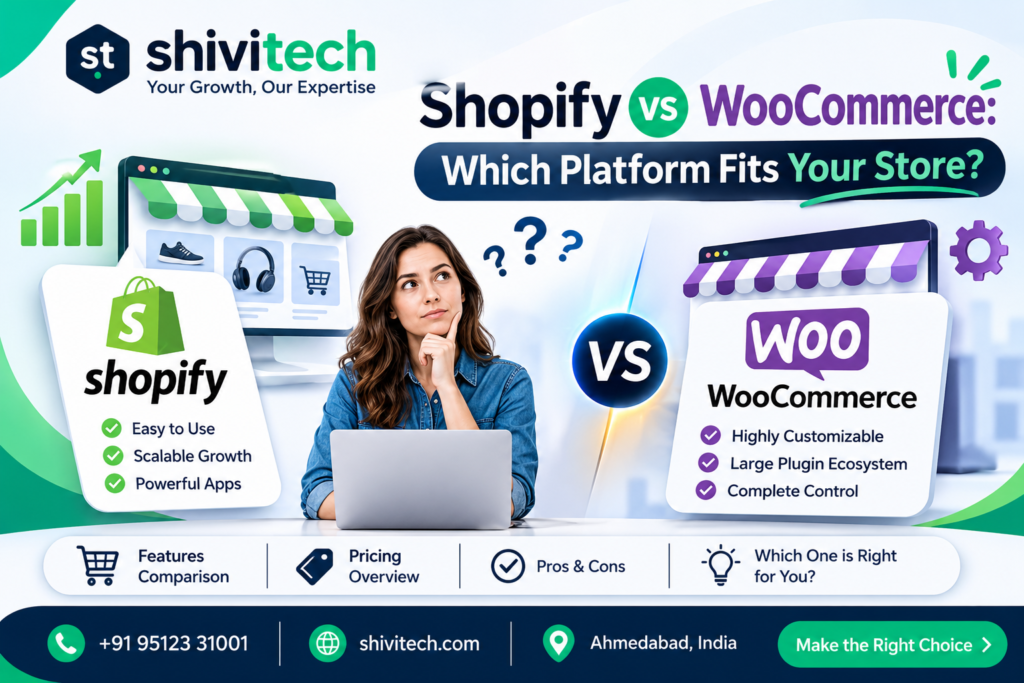
Choose Shopify if you want to launch quickly, keep things simple and have someone else handle hosting and security. Choose WooCommerce if you want more control, already run a WordPress site or rely heavily on content. Beyond that, the right answer depends on your budget, the size of your catalogue and how much technical help you have. This guide gives you a verdict for each scenario, a side-by-side table, a three-year cost view, SEO and payment differences, and what it takes to switch later.
Quick verdict
| Shopify | WooCommerce | |
| Type | Hosted platform (software as a service) | Free plugin for WordPress, self-hosted |
| Best for | Fast launch, simple management, D2C brands | Control, content-led stores, custom needs |
| Setup effort | Low | Medium to high |
| Hosting and security | Handled by Shopify | Your responsibility (or your host’s) |
| Design and flexibility | Themes plus apps; custom code in Liquid | Near-unlimited, via themes, plugins and code |
| Content and blogging | Basic blog | Full WordPress content tools |
| Ongoing costs | Subscription, apps, transaction fees | Hosting, extensions, maintenance |
| Technical skill needed | Low | Moderate |
| Large or unusual catalogues | Good, with platform limits to check | Very flexible, depends on hosting |
Neither platform is better for everyone. If you’re weighing providers as well as platforms, our Shopify development team can explain how a store would be built on it, and you can read our guide on what to look for in a Shopify development company here: Shopify development company guide.
Pick Shopify if…
- You want to launch fast. A basic store can be live in days or weeks, with themes, checkout and payments ready to configure.
- You’d rather not manage hosting, updates and security. Shopify handles the infrastructure, which reduces technical risk.
- You sell physical products and want an all-in-one system. Inventory, orders, discounts and shipping tools are built in.
- You don’t have in-house technical staff. Day-to-day management is designed for non-developers.
- You plan to scale on a reliable platform. Shopify copes well with traffic spikes such as sales and campaigns.
- You’re a D2C brand focused on conversion. Shopify’s checkout is polished and widely familiar to shoppers.
The trade-offs are less flexibility with deep customisation, ongoing subscription and app costs, and, in some regions, extra transaction fees depending on how you take payments. Some stores also run into limits on product variants or customisation that need workarounds.
Pick WooCommerce if…
- You already run a WordPress website. WooCommerce adds a store to your existing site without moving content.
- Content is central to your business. Articles, guides and resources sit naturally alongside products.
- You need deep customisation. Because it’s open, you can adapt almost anything with plugins or custom development.
- You want ownership and control. You choose your hosting, your payment providers and how your data is stored.
- You have unusual products or workflows, such as complex pricing rules, bookings or memberships.
- You have access to developers. WooCommerce rewards technical help, and our WooCommerce development team builds and maintains these stores.
The trade-offs are more responsibility for hosting, security, backups and updates, a bigger learning curve, and the fact that plugin choices affect speed and stability. A badly configured WooCommerce store can be slow and fragile.
Cost over three years
The sticker price is misleading, because the real cost is what you pay over time. Compare the total across three years, not the first month.
Platform
- Shopify: you pay a monthly subscription that depends on your plan, plus transaction or payment fees depending on how you take payments. Check Shopify’s current pricing page, because plans and terms change.
- WooCommerce: the plugin itself is free, but you pay for hosting, a domain and often a premium theme. Hosting quality matters, so don’t treat it as an afterthought.
Apps and plugins
- Shopify relies on apps for features beyond the core, such as reviews, subscriptions, advanced filtering and email marketing. Many have monthly fees that add up as your list of apps grows.
- WooCommerce uses plugins, some free and some paid, often with annual licences. Plugins can overlap or conflict, so test them carefully.
Developers
- Shopify keeps routine work simple, but custom features, theme changes and integrations still need a developer. If you want help finding one, see our page on how to hire Shopify experts.
- WooCommerce often needs more developer time for setup, updates and fixes, especially for custom requirements. Maintenance is an ongoing cost, not a one-off.
A useful way to compare: add up, for each platform, setup, subscription or hosting, apps or plugins, payment fees, developer time and maintenance across 36 months. Ask providers to break these out. Stores with simple needs often find Shopify’s predictable subscription easier to budget, while stores with complex needs may spend more on Shopify apps or custom work than on WooCommerce extensions. There isn’t one universal winner. Hidden costs, such as transaction fees, premium themes and paid extensions, are the usual surprise.
SEO differences
Both platforms can rank well. The difference is how much control you have and what you have to manage. Our ecommerce SEO checklist for Shopify and WooCommerce stores covers the details for each.
URLs and speed
- URLs: WooCommerce gives you full control over URL structure. Shopify uses fixed prefixes, such as /products/ and /collections/, so you have less flexibility, though most stores manage fine with them.
- Speed: Shopify’s hosting is managed and generally consistent. WooCommerce speed depends on your hosting, theme and plugins, so a well-built site can be very fast, and a neglected one can be slow.
Schema and blog
- Structured data: both can output product schema, either through the theme, built-in features or plugins and apps. Check it with Google’s testing tools.
- Blog and content: WordPress is a strong content platform, which gives WooCommerce an advantage for content-led strategies. Shopify’s blog is functional but simpler.
Neither platform ranks you automatically. Content quality, site structure, speed and authority matter far more than the platform choice.
Payments in India vs. UK
Payment options differ by country, and they can influence your choice more than features do. Always check each provider’s current availability, fees and onboarding conditions.
Gateways
- India: Merchants commonly use gateways such as Razorpay, PayU and others, alongside UPI, cards and net banking. Both Shopify and WooCommerce can connect to Indian gateways, though availability of a platform’s own payment product varies by country, so check what’s offered for India.
- UK: Stripe, PayPal and local card options are common. Shopify Payments and WooCommerce’s own payment tools may be available in the UK, and both platforms support PayPal and Stripe.
Fees
- Shopify: when you use a third-party gateway instead of the platform’s own payment service, Shopify may charge an additional transaction fee on top of the gateway’s charges. Check the current terms.
- WooCommerce: the platform adds no transaction fee of its own, but your gateway still charges its fees, and extensions may have licence costs.
Compare the all-in fee per transaction, including currency conversion if you sell internationally, rather than looking only at the headline rate.
Switching later: what it takes
Moving platforms is possible, but plan it carefully. Our guide to common online store challenges explains what often goes wrong. A typical migration involves:
- Auditing what you have: products, variants, customers, orders, content and integrations
- Exporting and importing data, with checks for accuracy
- Rebuilding design and functionality, since themes and plugins or apps don’t transfer directly
- Setting up redirects from old URLs to new ones, to protect search visibility
- Re-connecting payments, shipping and tracking
- Testing thoroughly before switching the domain
- Monitoring after launch for errors, traffic drops and broken links
The biggest risks are lost search rankings from missing redirects and data that doesn’t import cleanly. Both directions are doable. Moving from WooCommerce to Shopify is common, and so is moving from Shopify to WooCommerce when a business outgrows what it can customise. If you think you might switch, choose with that in mind and keep your product data clean.
FAQs
Can I move from WooCommerce to Shopify?
Yes. Products, customers and content can usually be migrated, but design and functionality need rebuilding, and redirects are essential to protect search visibility.
Which handles large catalogues?
Both can. Shopify’s hosted platform scales well but has limits on variants and options that you should check. WooCommerce is very flexible but needs strong hosting and careful setup for large catalogues.
Do I need a developer?
For a simple store, you may manage without one, especially on Shopify. For custom features, integrations, migrations or performance work, a developer saves time and avoids costly mistakes.
What are the hidden costs?
Apps and plugins, premium themes, payment and transaction fees, developer time, hosting upgrades and maintenance. Add these up over three years before you decide.
Which is easier for beginners?
Shopify is generally easier to start with because hosting, security and checkout are handled for you. WooCommerce takes more setup but offers more control.
Not sure which fits your store?
Get a platform recommendation for your store from Shivi Tech. Tell us about your products, budget and plans, and we’ll explain which option makes sense and why, and what it would cost over three years.